
Read out loud. You don't move on until you get it right.
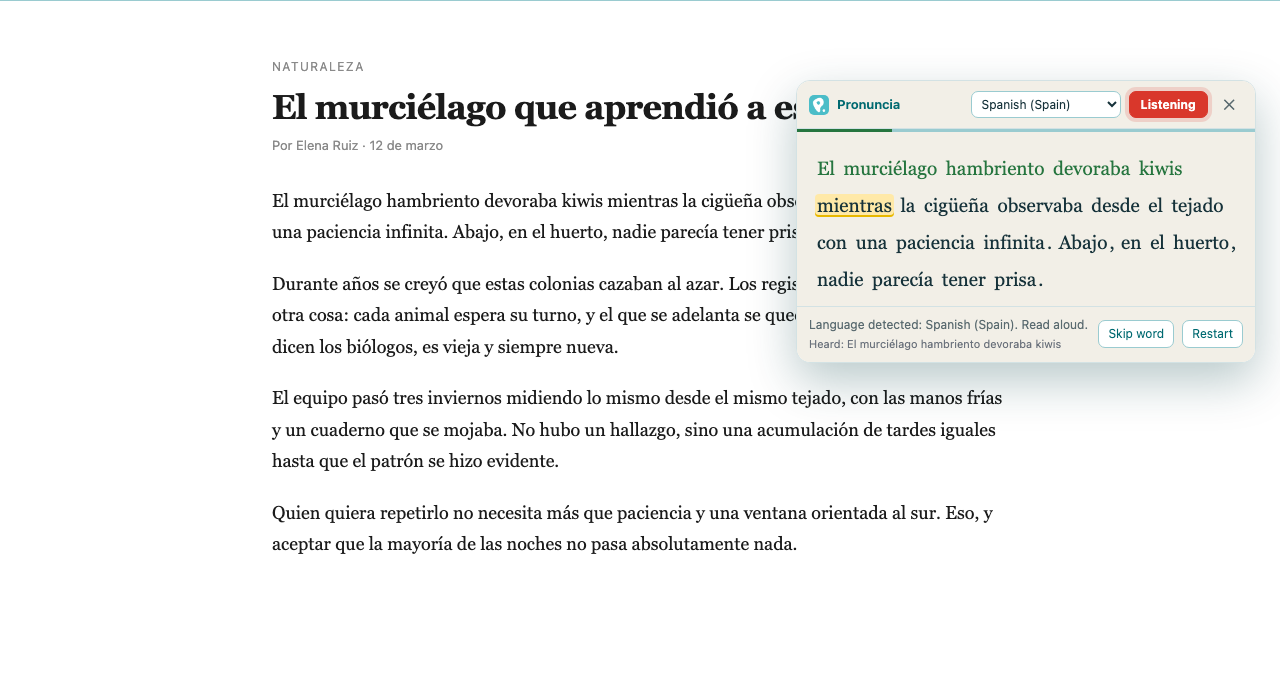
Pronuncia is a Chrome extension for practising reading aloud with any text on the web. You select a paragraph, you read it, and the text only advances when the recogniser hears the word it was waiting for.
Add to Chrome Free to use right now.
How it works
- Select any text on any web page.
- Open it from the right-click menu, or with Ctrl+Shift+L (⌘+Shift+L on a Mac).
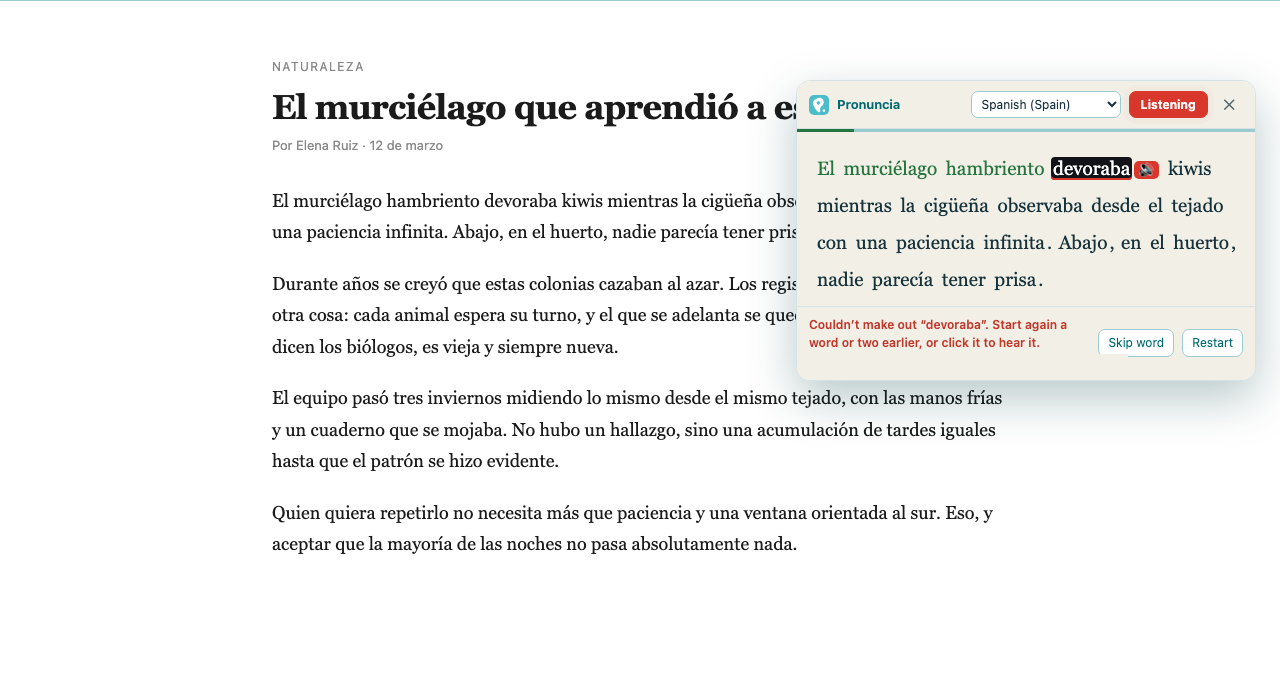
- Read aloud. The current word is highlighted, and it will not move on until you say it clearly.
- Stuck on a word? Click it and you'll hear it pronounced.
What you get
- Six languages: Spanish, English, Portuguese, French, Italian and German, with their regional variants.
- Automatic language detection from the text you select.
- A reference voice: click any word to hear how it should sound.
- Adjustable strictness, so you can give yourself more or less room depending on your level.
- Adjustable speed for the reference voice.
- Works on any web page, with nothing to copy and paste anywhere.
See also the terms, the refund policy and the privacy policy.
Before you install it, you should know
Pronuncia uses Chrome's built-in speech recognition, which tells us which words it understood — not a per-phoneme pronunciation score. It is forgiving with strong accents and it gets proper nouns and technical terms wrong. It is built for practising fluency and confidence while reading; it is not a substitute for a phonetic assessment.
That recognition sends your audio to Google's servers, exactly as it does on any website that uses Chrome's dictation. We explain this in full in the privacy policy.
You need Google Chrome, a microphone and an internet connection.